Work Session has landed—ephemeral, just-in-time access for your workspace
Alpacon team
Alpacon features now run inside Work Sessions—request access for the exact time you need, and it's automatically revoked when the session ends. Every access carries an approval and audit trail, so security and governance are built into your workflow by default.
Access Alpacon features through Work Sessions
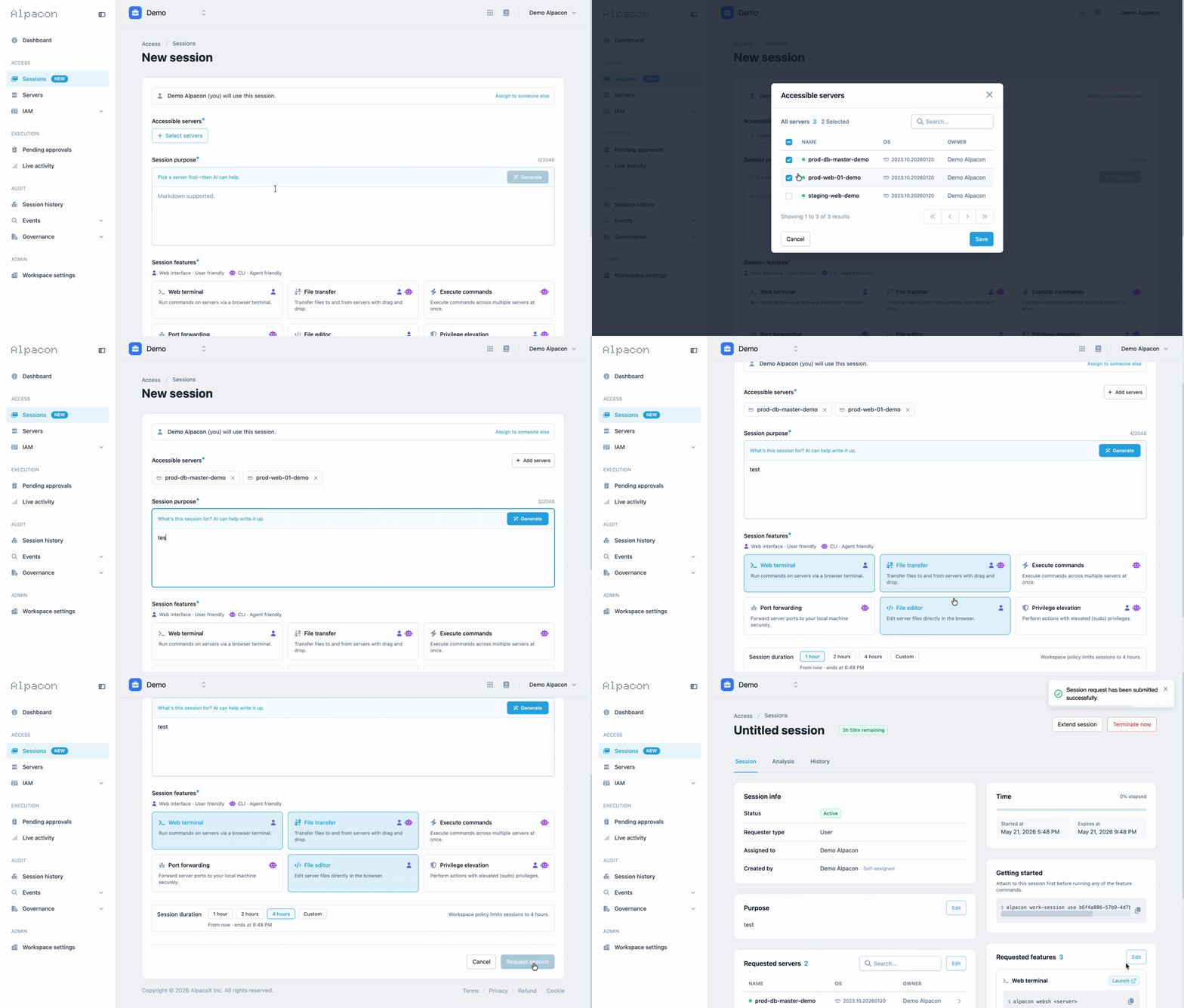
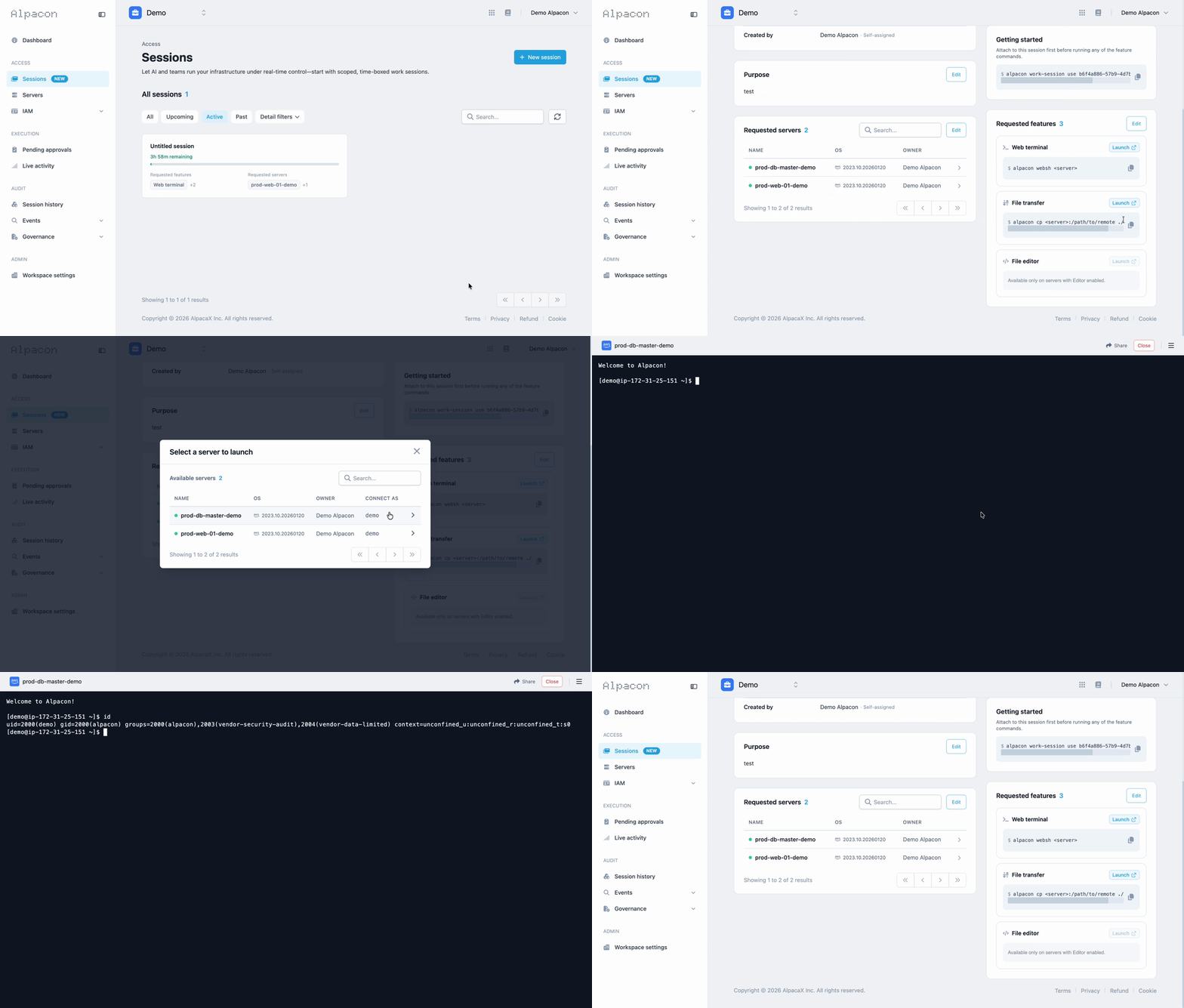
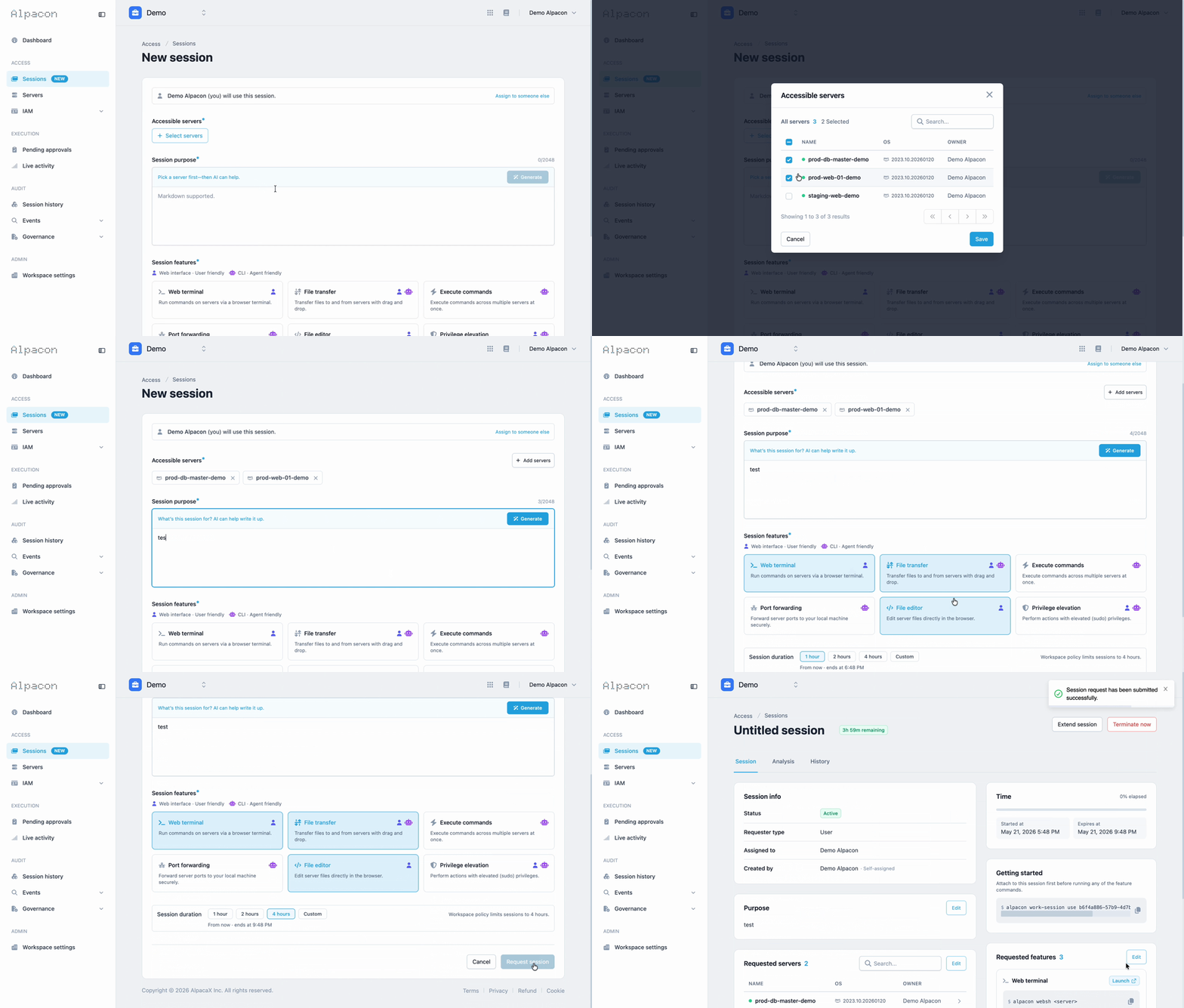
Request a Work Session, get access to the servers and features you need for the time you specify, and access is automatically revoked when the session ends. Websh, WebFTP, and every existing feature keep working inside Sessions as before.
Get started with a Session
In Sessions, select the servers and features you want to work with.
Set the Session duration and submit your request.
An admin approves the request from the Pending approvals tab.
Once approved, work within the Session just as you always have.
Superusers start immediately
Superusers can start a Session without approval. Your existing workflow stays exactly the same.
Session duration
Sessions can last up to 7 days. Manage the maximum allowed duration in Workspace settings.
Session history stays the same
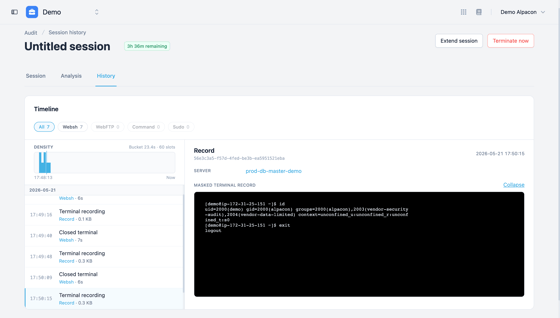
Every activity is logged just as before, now grouped per Session so your audit trail is tighter.
Also in this release
· API tokens are now under My API tokens in your profile.
More details will be shared in an upcoming newsletter.